-5-990x495.jpg "IT运维外包的好处(一)")
ubuntu.22.04-server Detailed Installation Guide
1. Load the disc and start installing the system
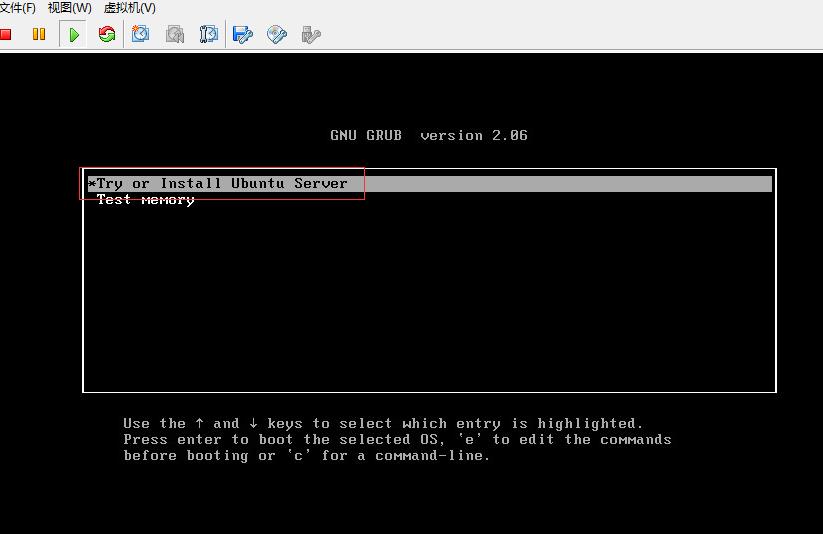
2. Keep the default and press Enter
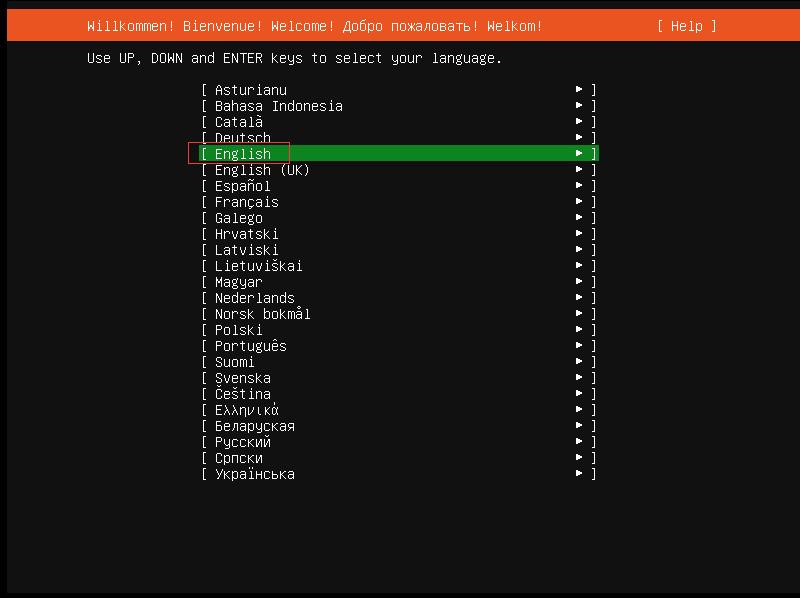
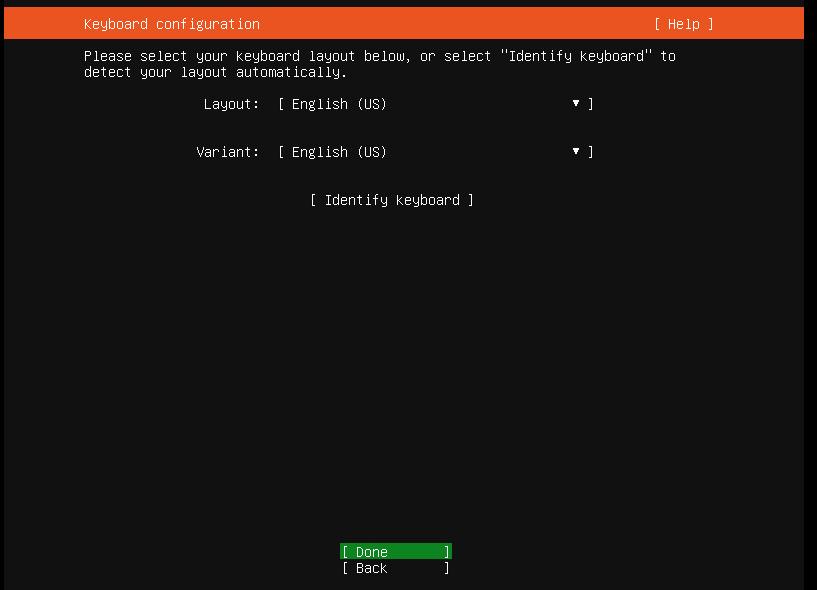
3. Keep the default keyboard settings and press Enter
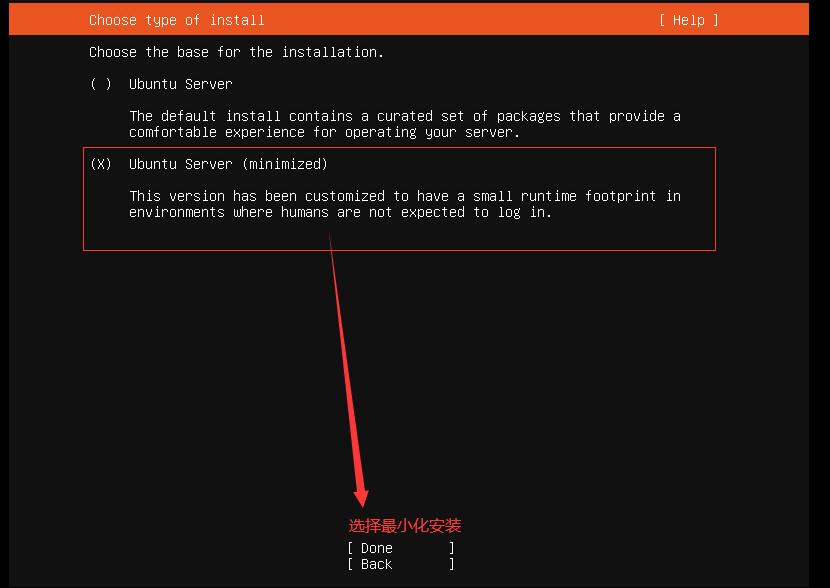
4. Select the minimal installation
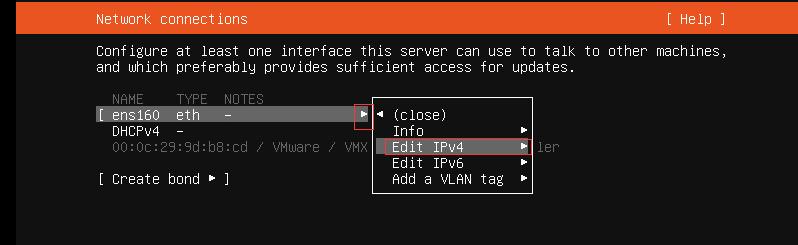
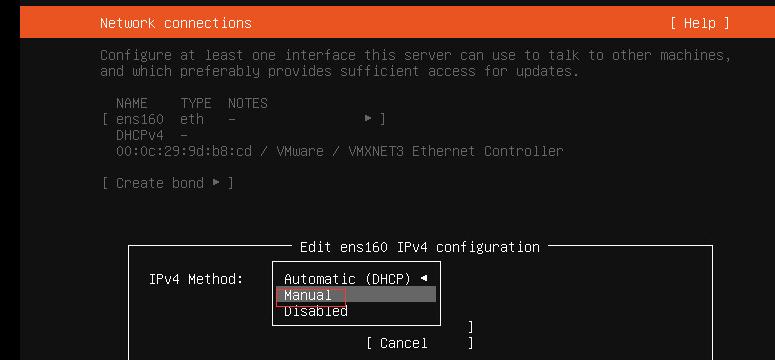
5. Select Manual to configure the IP address
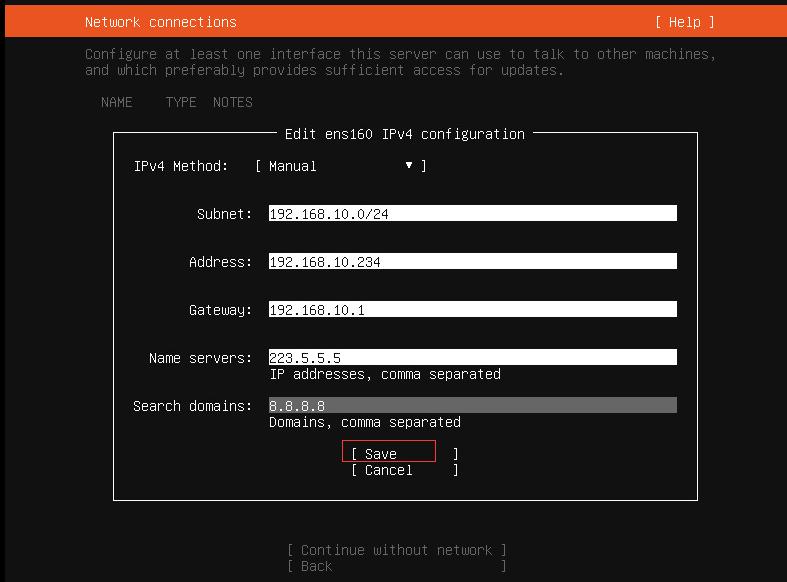
6. Leave the proxy configuration blank by default
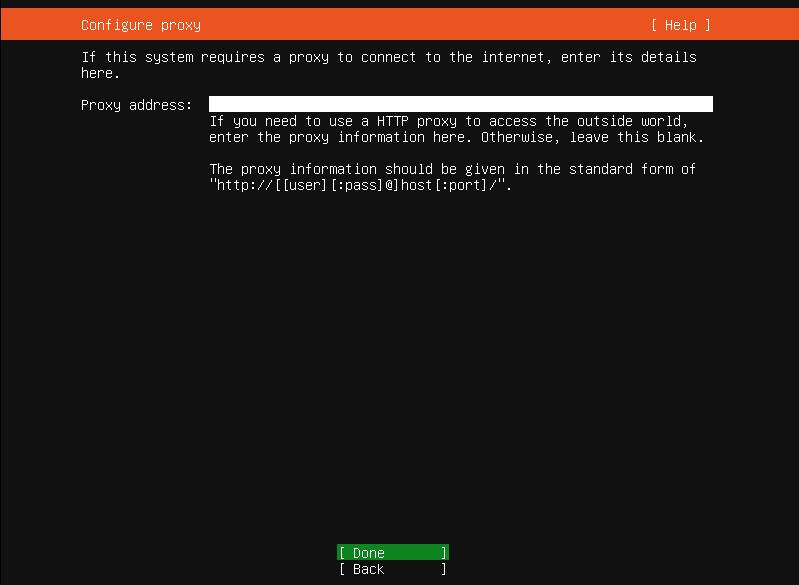
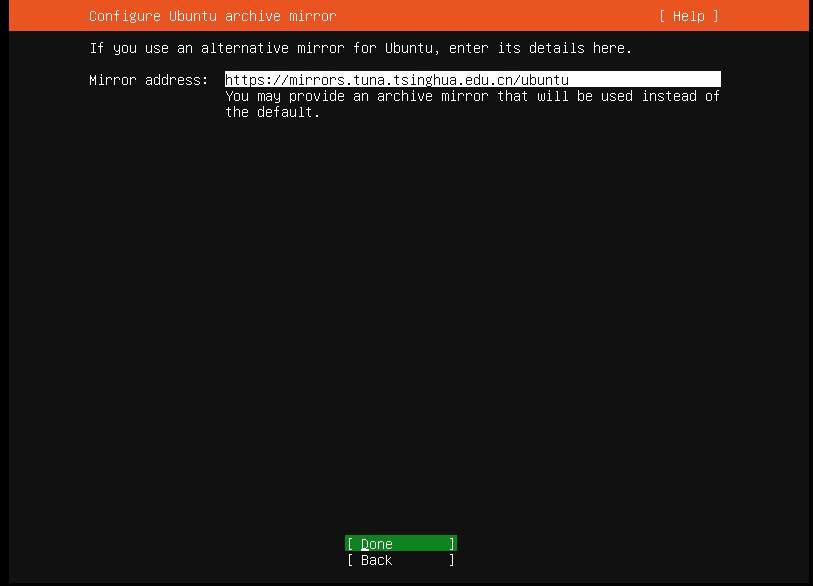
7. Configure the Tsinghua apt source
https://mirrors.tuna.tsinghua.edu.cn/ubuntu
8. Simply select the default LVM partitioning
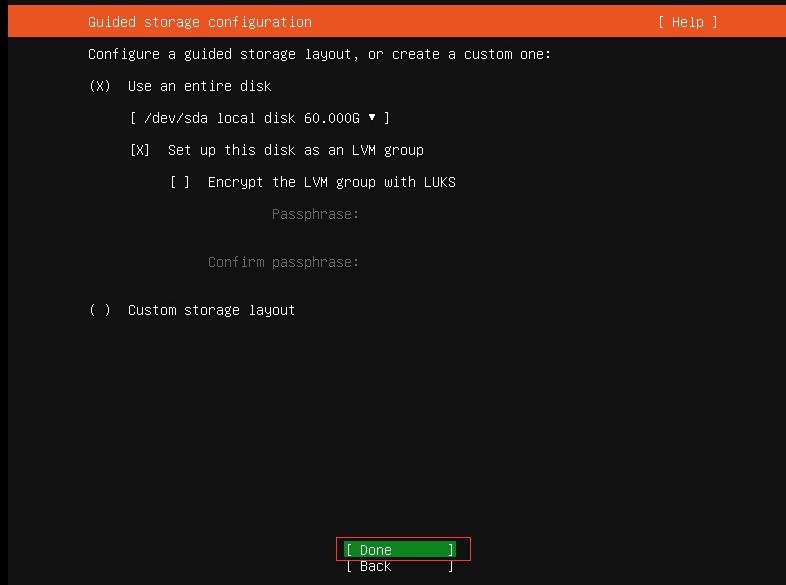
By default, not all space is allocated; create and allocate all the space manually yourself
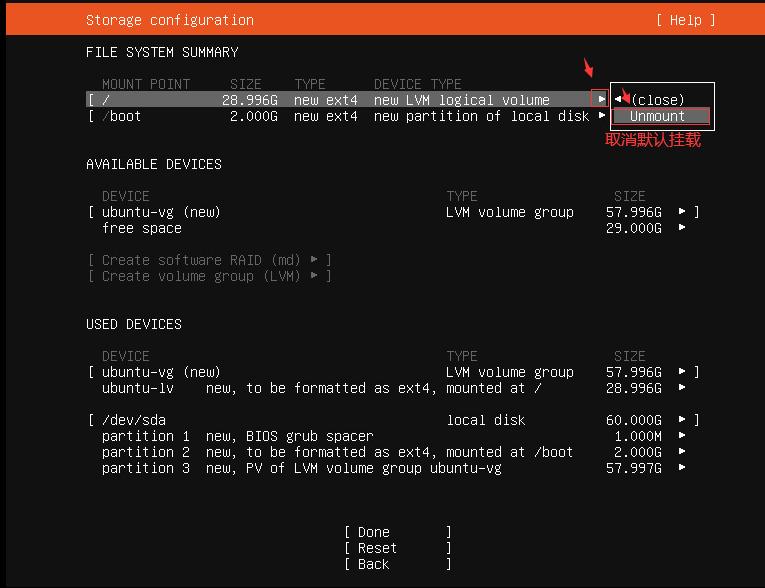
Cancel the default partition
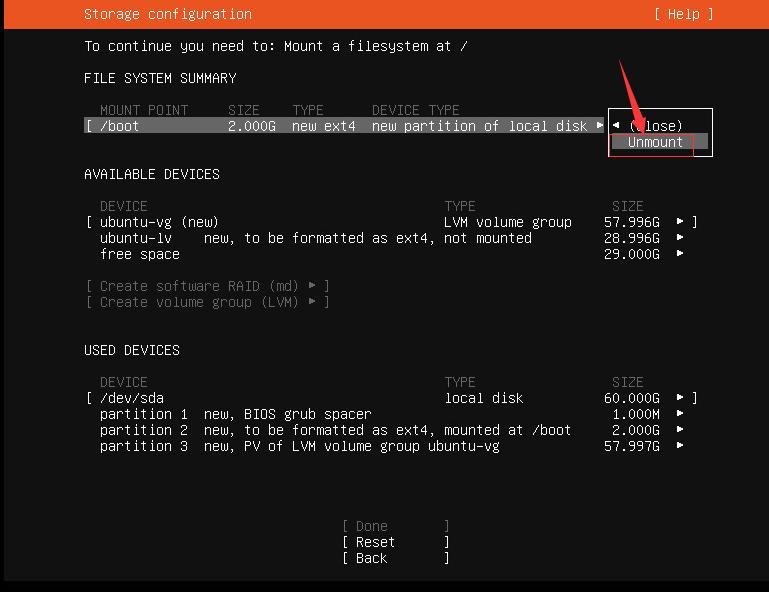
Delete the default LVM allocation and create your own
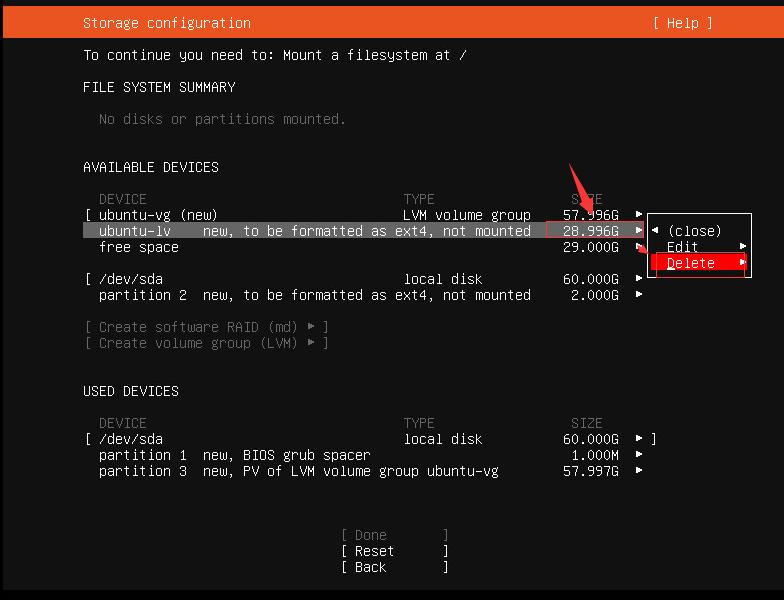
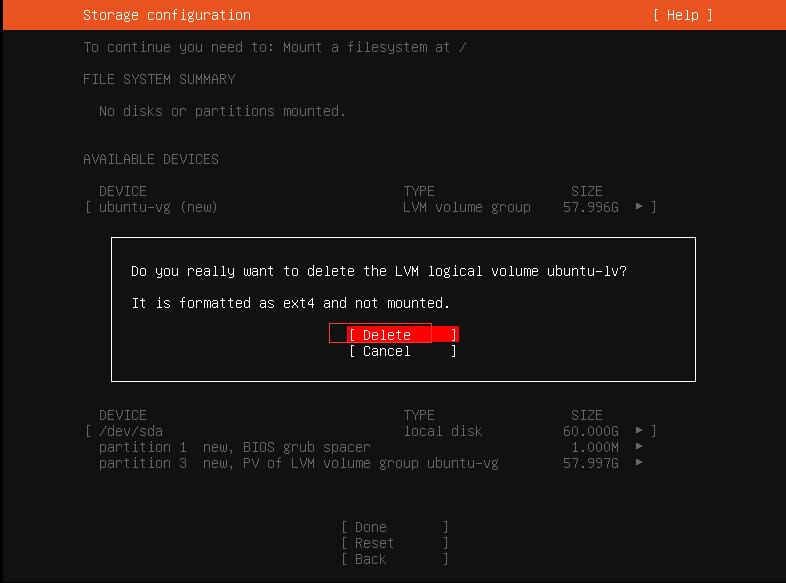
Create a new LVM partition
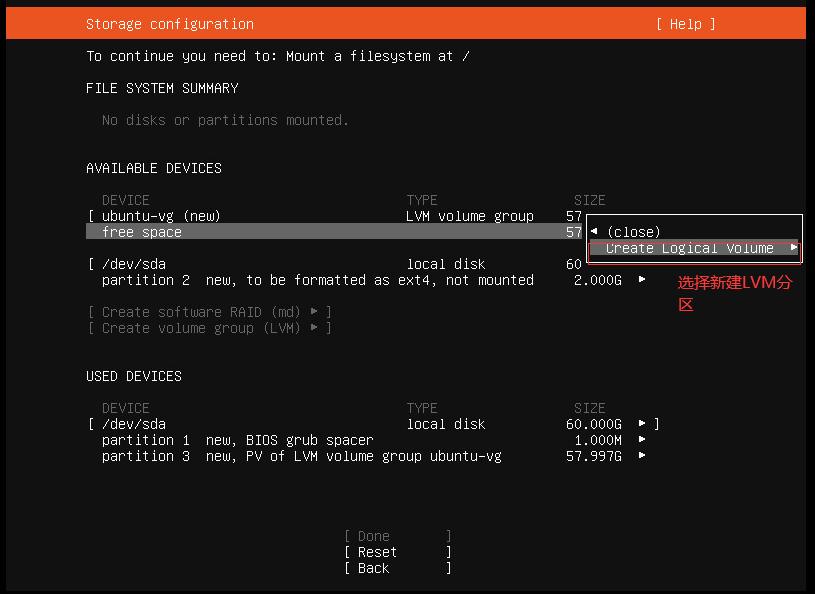
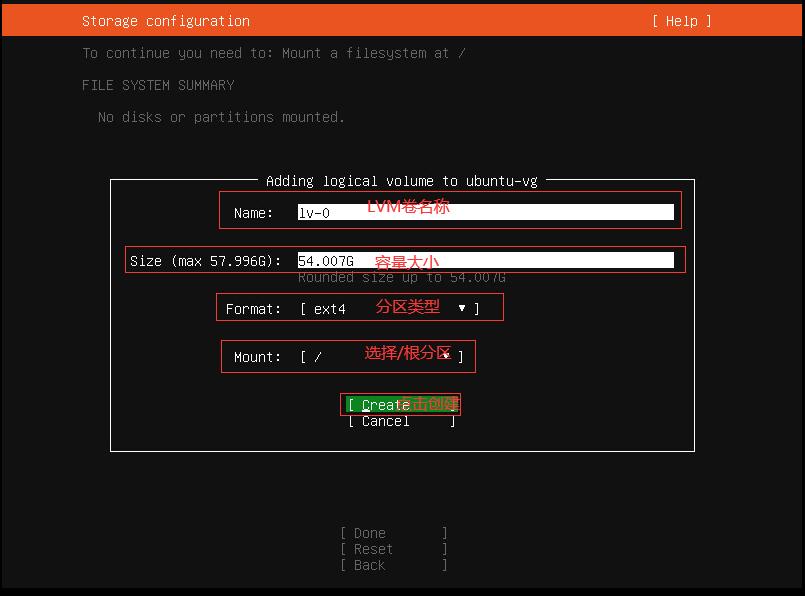
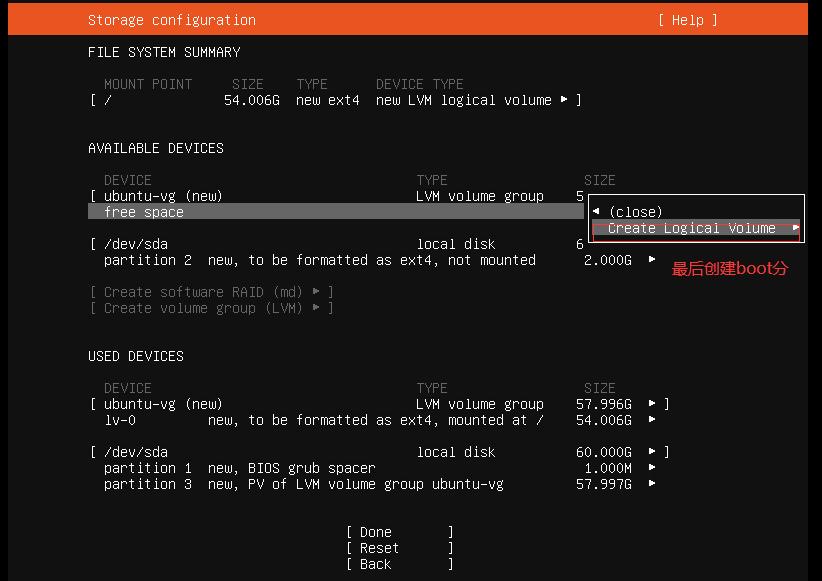
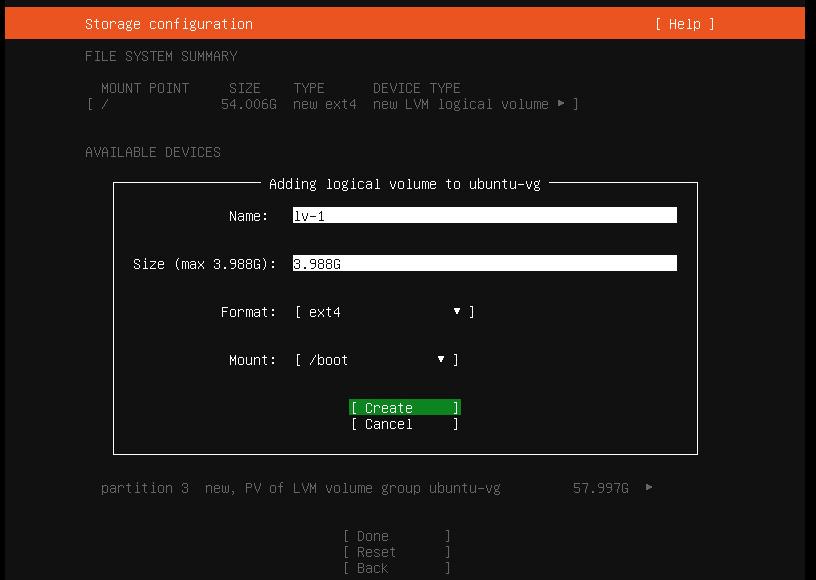
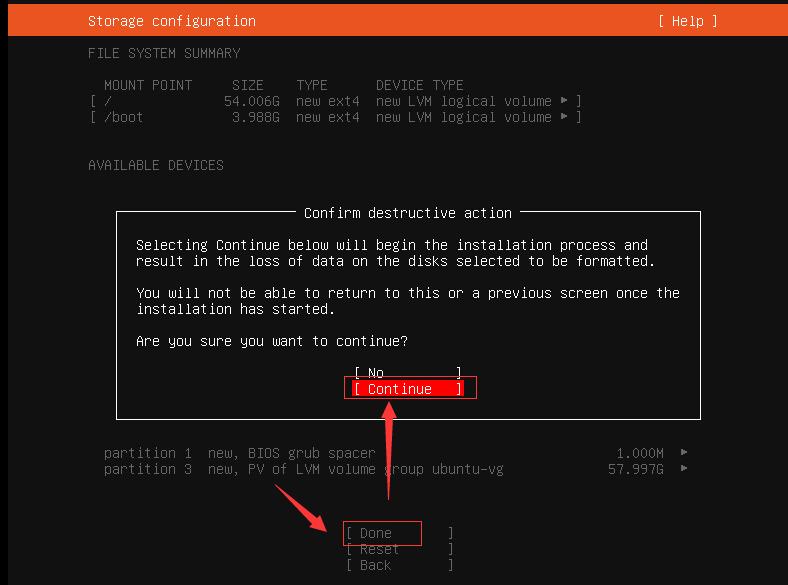
Select Continue and press Enter
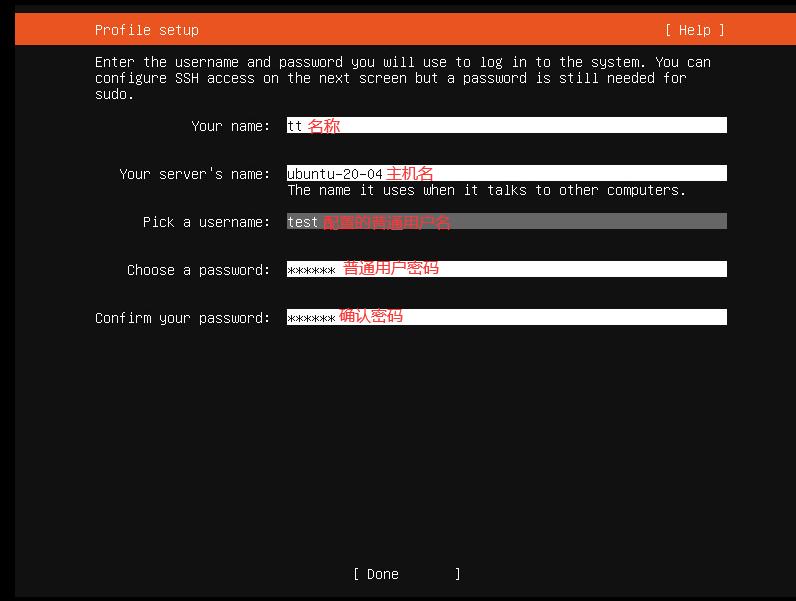
9. Configure the regular login user and hostname
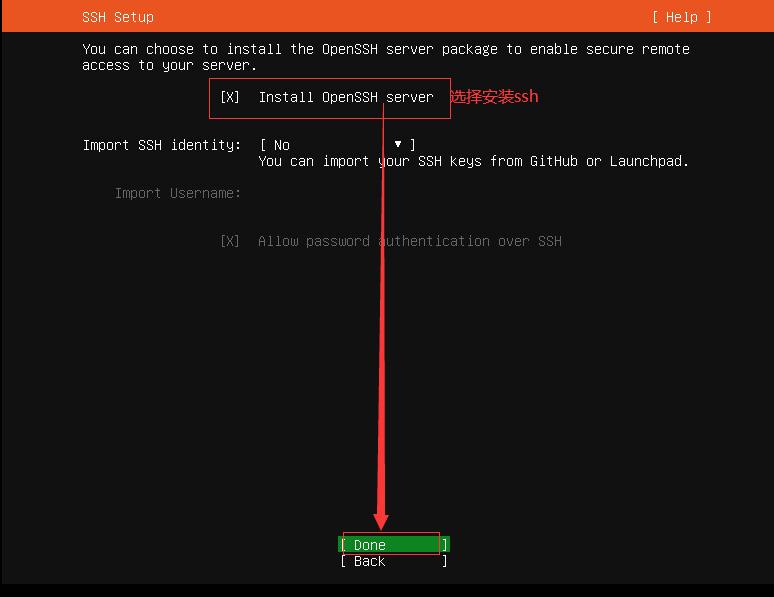
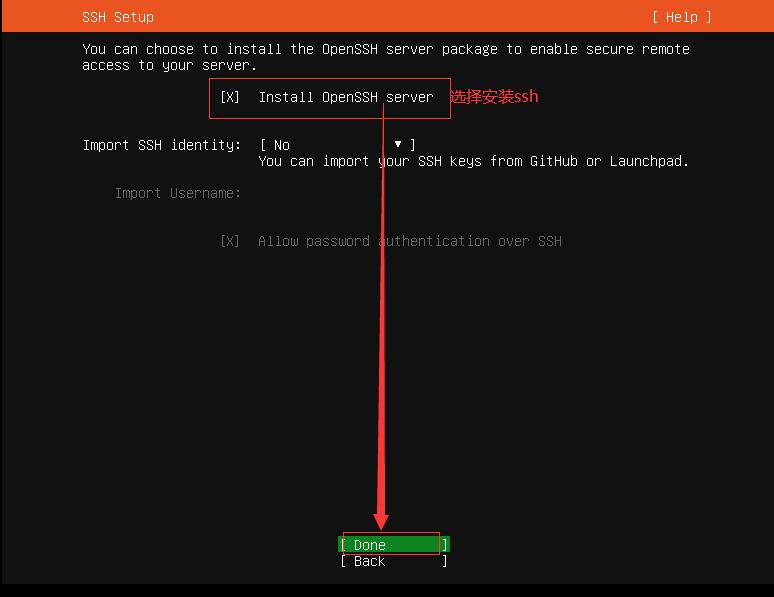
10. Install SSH
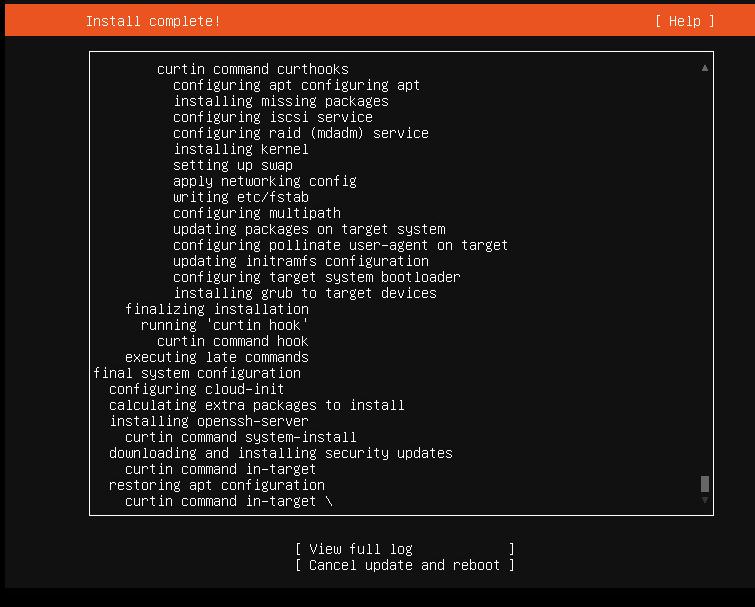
Start installing the system
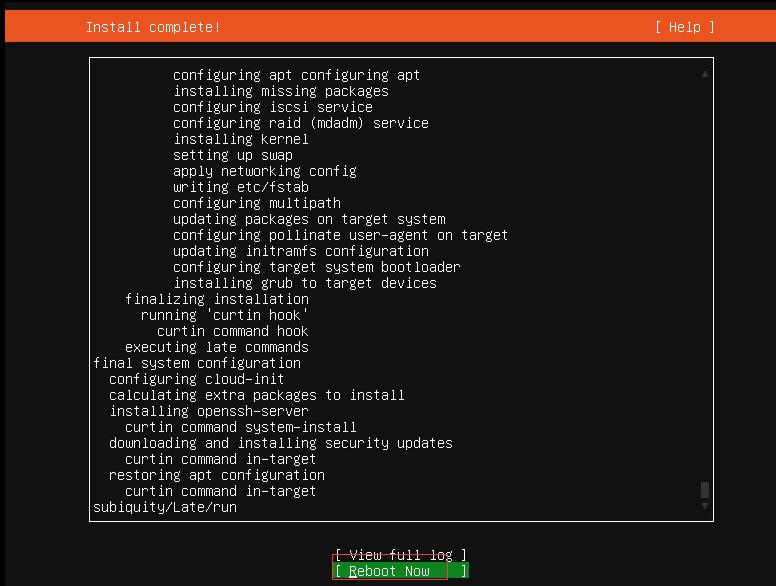
Restart once the installation is complete