
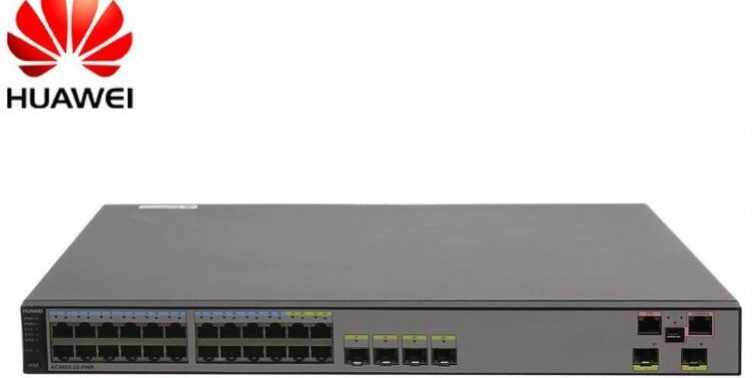
If you forget the Console port login password, you can set a new Console port login password in either of the following two ways:
Resetting the password when Telnet login is available:
- Log in to the switch through STelnet/Telnet to set a new Console port login password
This method requires that you have an STelnet/Telnet account with administrator rights. The command lines and command output below use the case of logging in to the device through STelnet to change the Console port password. After logging in to the switch with your STelnet account, configure the settings as follows.
a. The following example assumes that the authentication mode of the login user interface is password authentication and the password is Huawei@123. Configure the settings as follows.
[HUAWEI] user-interface console 0
[HUAWEI-ui-console0] authentication-mode password
[HUAWEI-ui-console0] set authentication password cipher Huawei@123
[HUAWEI-ui-console0] return
b. The following example assumes that the authentication mode of the login user interface is AAA authentication, the user name is admin123, and the password is Huawei@123. Configure the settings as follows.
[HUAWEI] user-interface console 0
[HUAWEI-ui-console0] authentication-mode aaa
[HUAWEI-ui-console0] quit
[HUAWEI] aaa
[HUAWEI-aaa] local-user admin123 password irreversible-cipher Huawei@123
[HUAWEI-aaa] local-user admin123 service-type terminal
[HUAWEI-aaa] return
Changing the password through the console cable when Telnet login is unavailable:
Clearing the Console port login password through BootROM
The BootROM of the switch provides the function of clearing the Console port login password. You can change the Console port login password after the switch starts and then save the configuration. Configure the settings as follows.
Connect to the switch through the Console port and restart the switch. When the following information is displayed on the screen, promptly press Ctrl+B and enter the BootROM password to enter the BootROM main menu.
Information displayed on a chassis switch:
Press Ctrl+B to enter boot menu … 1
Password: //Enter the BootROM password (admin@huawei.com)
BIOS Menu (Version: 314)
- Boot with default mode
- Enter serial submenu
- Enter startup submenu
- Enter ethernet submenu
- Enter file system submenu
- Modify BOOTROM password
- Clear password for console user
- Config HigMem to Flash Flag
- Reboot
(Press CTRL+E to enter Diag menu)
Enter your choice(1-9): 7
Caution: Clear password for console user? Yes(y) or No(n): y
Clear password for console user successfully.
Choose “1.Boot with default mode”, then set a new password by console command line.
Caution: Do not reboot or power off the device, otherwise this operation will not take effect.
BIOS Menu (Version: 314)
- Boot with default mode
- Enter serial submenu
- Enter startup submenu
- Enter ethernet submenu
- Enter file system submenu
- Modify BOOTROM password
- Clear password for console user
- Config HigMem to Flash Flag
- Reboot
(Press CTRL+E to enter Diag menu)
Enter your choice(1-9): 1
Remember that in the last step you must choose 1, not 9, because after choosing 7 above we are clearly told that if the device is restarted the changes made will not be saved. After choosing 1, you can log in to the command-line interface without a password, and then you can change the password.
<AC6003>sys
[AC6003]user-interface console 0
[AC6003-ui-console0]authentication-mode password
[AC6003-ui-console0]set authentication password cipher
Info: A plain text password is a string of 8 to 16 case-sensitive characters and must be a combination of at least two of the following: uppercase letters A to Z, lowercase letters a to z, digits, and special characters (including spaces and the following :`~!@#$%^&*()-_=+|[{}];:'”,<.>/?). A cipher text password contains 68 characters.
New Password:
Confirm New Password:
[AC6003-ui-console0]
[AC6003-ui-console0]ret
<AC6003>sa
The current configuration will be written to the device.
Are you sure to continue? (y/n)[n]:y
It will take several minutes to save configuration file, please wait……..
Configuration file has been saved successfully
Note: The configuration file will take effect after being activated
<AC6003>
At this point the change is complete.
Information displayed on a box switch:
Press Ctrl+B or Ctrl+E to enter BootROM menu … 2
password: //Enter the BootROM password
Note:
Some models of box switches support entering the BootROM main menu by pressing Ctrl+E. Follow the prompts displayed on the device screen.
For box switches running versions earlier than V100R006C05, the default BootROM password is huawei; for V100R006C05 and later versions, the default password is Admin@huawei.com.
For chassis switches running versions earlier than V100R006C00, the default BootROM password is 9300; for V100R006C00 and later versions, the default password is Admin@huawei.com.
b. In the BootROM main menu, choose “Clear password for console user” to clear the Console port login password.
c. As prompted by the switch, choose “Boot with default mode” in the BootROM main menu to start the device.
d. After the system has started, no authentication is required when you log in through the Console port. After logging in, configure the authentication password as prompted by the system.
e. After logging in to the switch, you can configure the authentication mode and password of the Console user interface as needed.
Reference:
http://support.huawei.com/huaweiconnect/enterprise/thread-337263.html





