
NTP (Network Time Protocol) is an Internet protocol that precisely synchronizes computer clocks on a network with a time source. It can keep the difference between the local clock and a reference clock within 1 millisecond.
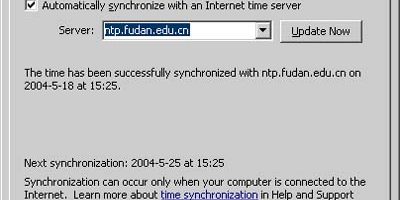
The NTP server address provided by the Fudan University Network Center is: ntp.fudan.edu.cn .
Client Setup Instructions:
Windows XP
Double-click the clock in the lower-right corner of the taskbar -> Select Internet Time -> Enter “ntp.fudan.edu.cn” as the server address.

Windows 2000
1. Go to Start -> Run -> Type “cmd”.
2. Run “net time /setsntp:ntp.fudan.edu.cn” to set the Windows 2000 SNTP server to ntp.fudan.edu.cn .
3. Run “w32tm /once” to synchronize with NTP immediately.
4. In Control Panel / Administrative Tools / Services, set the startup type for “Windows Time” to “Automatic” to start the NTP service each time the computer boots.
5. For more information, see Microsoft Knowledge Base articles 216734, 223184, and 224799.
Linux/Unix
First, ensure that the ntp package is installed, then run “ntpdate ntp.fudan.edu.cn” as root. To synchronize once every hour, run “crontab -e” and add the line “0 * * * * ntpdate ntp.fudan.edu.cn”.
NTP port: UDP 123





