Month: May 2022

You are here:

Extending VMware ESXi Storage with Synology NFS

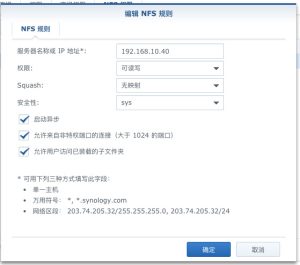
This article uses ESXi 6.7 and Synology NAS 6.x as examples. First, enable the NFS service on the Synology NAS; it is disabled by default. The steps are as follows. 1. In DSM, go to Control Panel > File Services > SMB/AFP/NFS, and check Enable NFS service. 2. In Control Panel, go to Shared Folder, select the folder you want ESXi to use, and click Edit. 3. Then select NFS Permissions, click Create, and note down the mount path. 4.

Learn More »

How to Connect to a Company Intranet via a Tunnel

1. When a branch office needs to connect to the head office intranet For branches with a large number of employees, device-based dial-in is recommended. Routing entries forward only the data that is actually needed, which improves office efficiency.   2. For employees working off-site who temporarily use 【the configuration methods for the built-in tunnel client on Windows 10{Item A} and Windows 7 {Item B} described below】 Please first confirm the company’s SSTP access address: (please consult your administrator) {If

Learn More »